Convert Google Forms to Google Docs
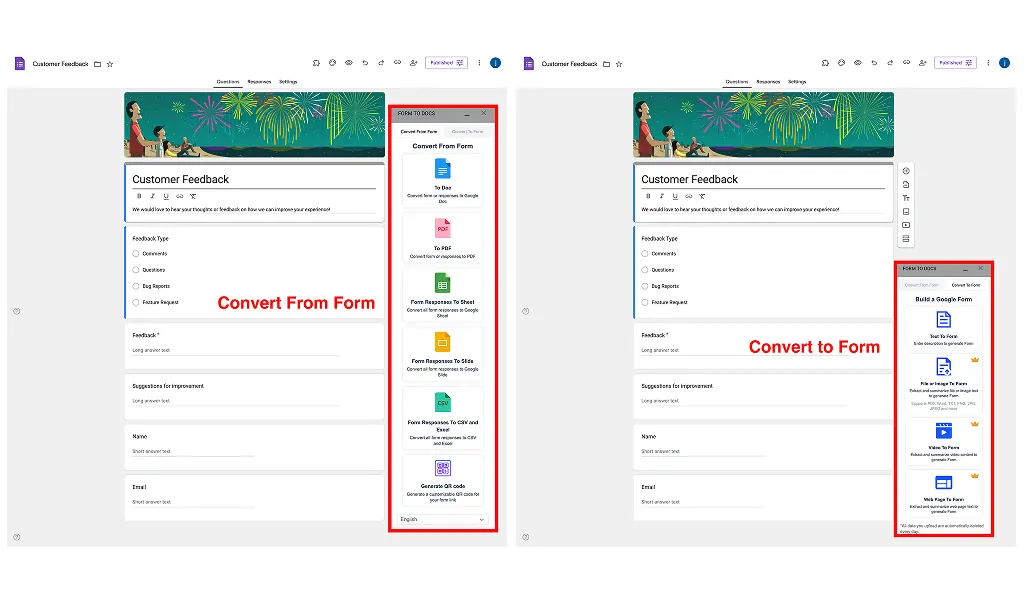
Convert Google Forms questions or responses to Google Docs
Convert Google Forms questions or responses to Google Docs, then download a Word copy. Choose the export you need, or create a form with the separate AI workflow.
Install Google Forms to Docs ConverterWhat do you want to convert?
Google Forms questions to a Google Doc
Choose the form-export operation to create a document of the questionnaire. Use it for a printable handout or an editable copy of the questions. This is different from exporting submitted answers.
Google Forms responses to a Google Doc
Choose the response-export operation for collected answers. Check whether you are exporting all responses or a selection, then review the resulting document against a sample submission.
A document or other content to Google Forms
Use the separate AI-assisted creation workflow to turn source content into questions. Review question wording, types and answer options before publishing. This is not a live, two-way synchronization between a form and a Doc.
How to convert a Google Form to Google Docs
- Open the form in a desktop browser and launch Form to Doc - Doc to form from the add-ons menu.
- Choose To Doc, then read the operation heading: exporting the form and exporting responses have different Start buttons.
- Check the selected response scope, if applicable, and your available conversions before starting.
- Open the generated Doc. Review question order, long text, images and any helper fields added by other add-ons.
- For a Word copy, use Google Docs File → Download → Microsoft Word (.docx). Check the downloaded layout before sharing.
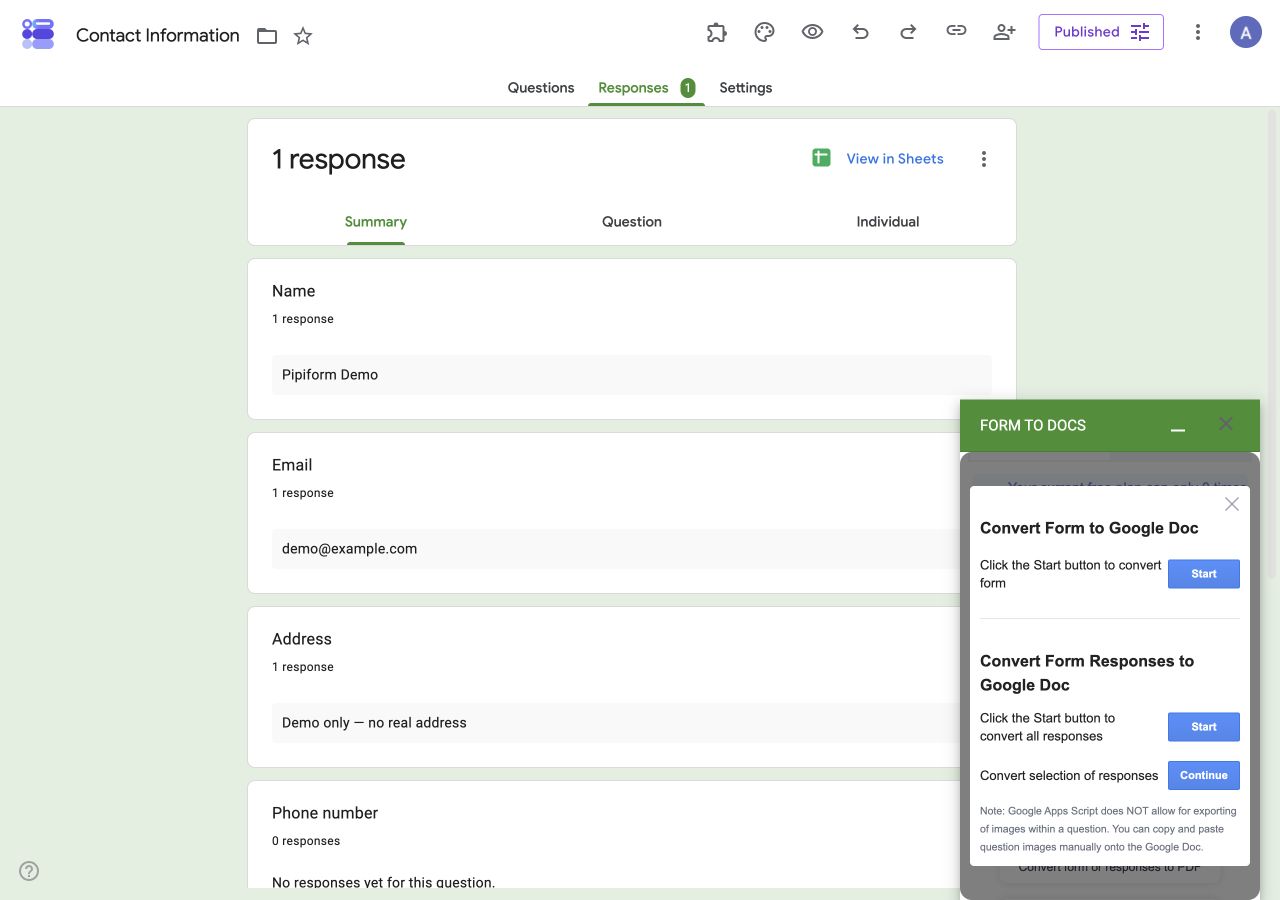
Example: a questionnaire exported to Google Docs
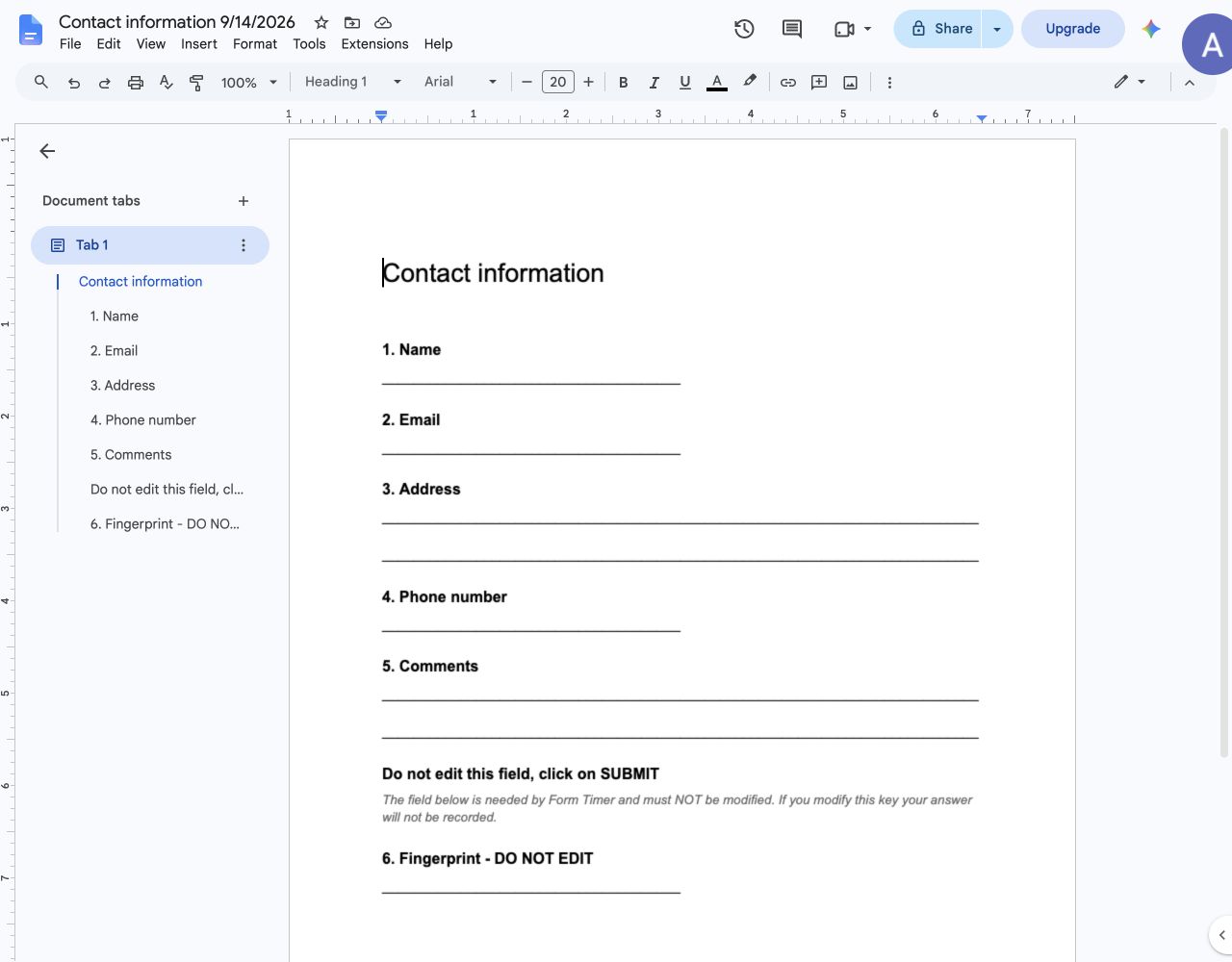
Review the output before sharing. Question images may need to be added manually, and technical helper questions may need to be removed from the document copy. Keep the original form and its responses intact.
Read the response-export and Word download tutorial · See the workshop document example
Convert From Google Forms
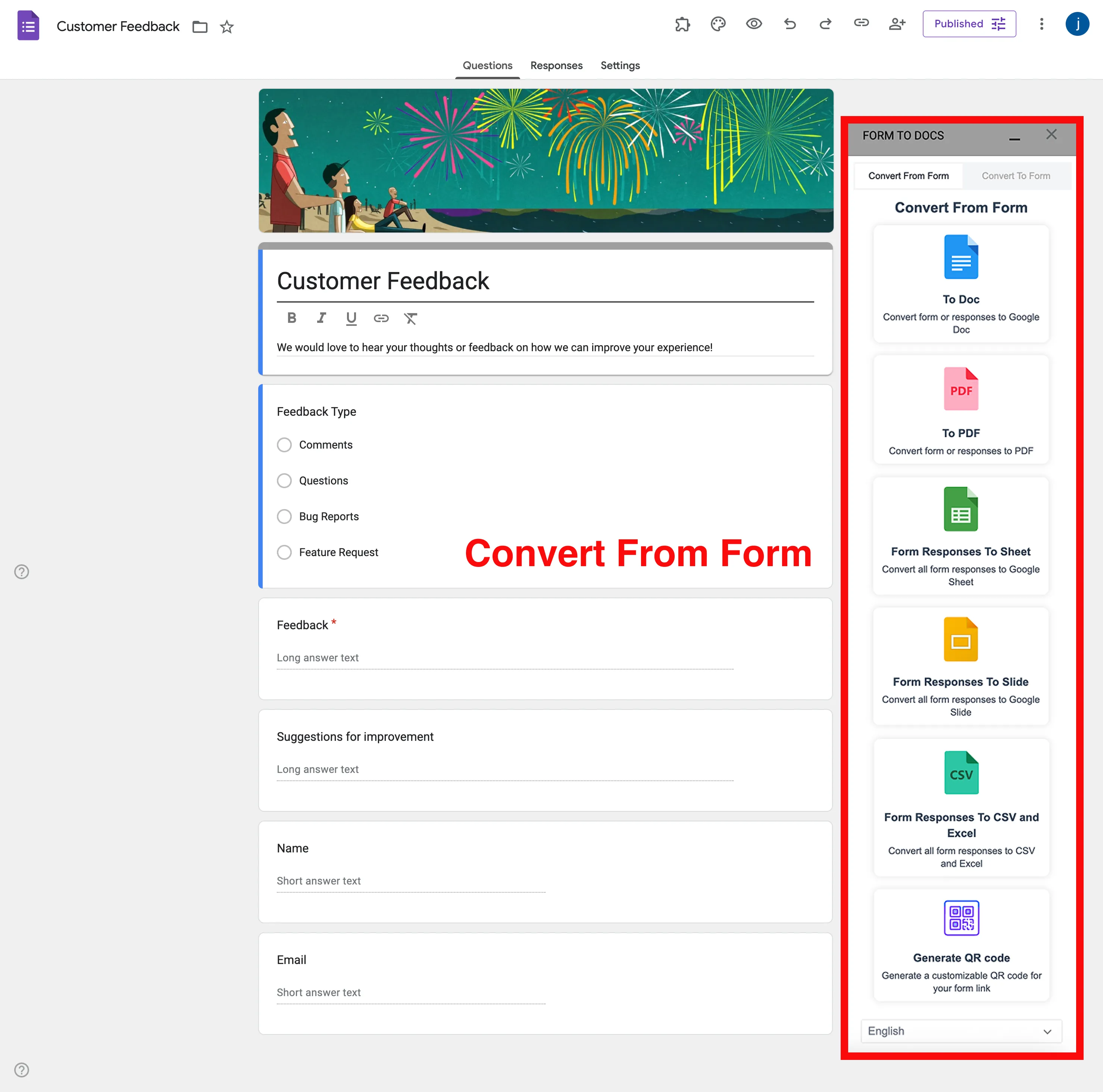
- Multiple Export Formats: Export to Docs, Sheets, Slides, PDF, Excel, or CSV
- Response export: choose the collected answers to include, then review the generated document.
- QR Code Generation: Create and share QR codes for instant form access
- Review the Output: Check formatting and images before sharing the converted document
- Response Scope: Choose the response export that matches the entries you need
Convert To Google Forms with AI
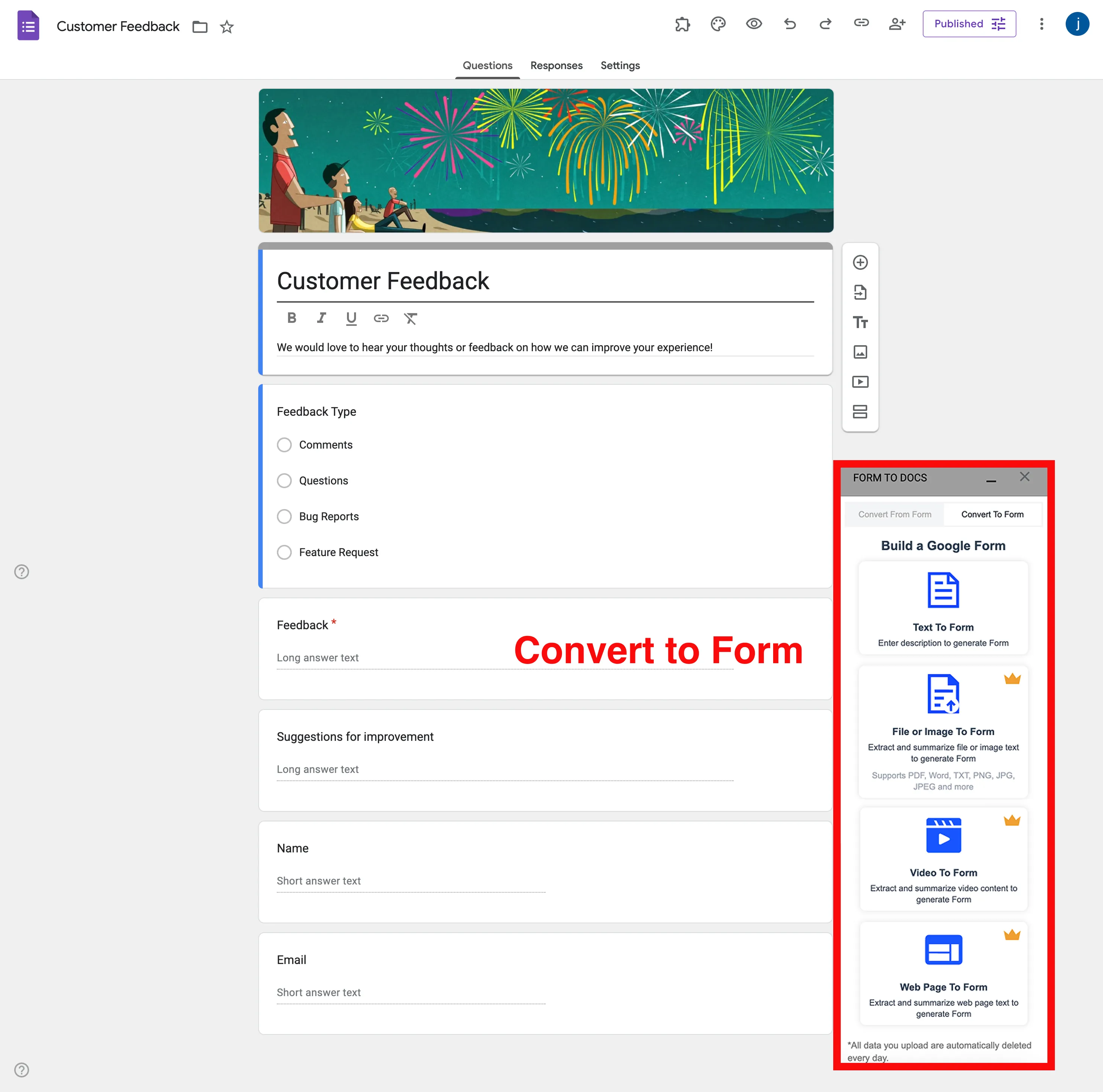
- AI form creation: turn source content into questions and review wording, types and choices. This is not live two-way synchronization.
- Choose an input method available in the add-on and check its upload requirements. Support for a content type does not mean every file or web page can be processed.
Review before sharing
Question images may need to be added manually. Remove unnecessary helper fields only from the document copy; keep the original form and responses intact.