Open the Form Timer for Google Forms Add-on
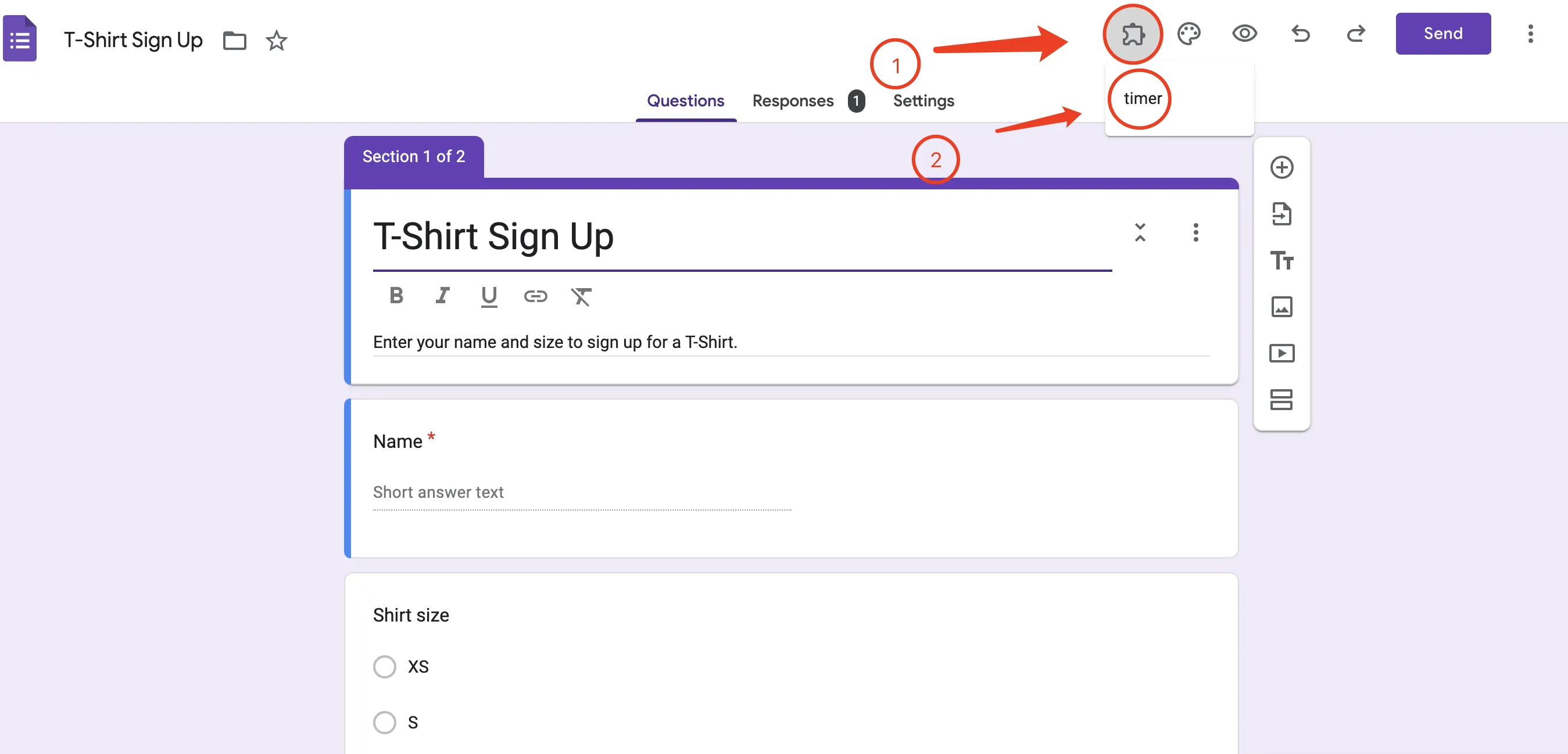
Step 1: Click the Add-on button
Step 2: Click Form Timer for Google Forms
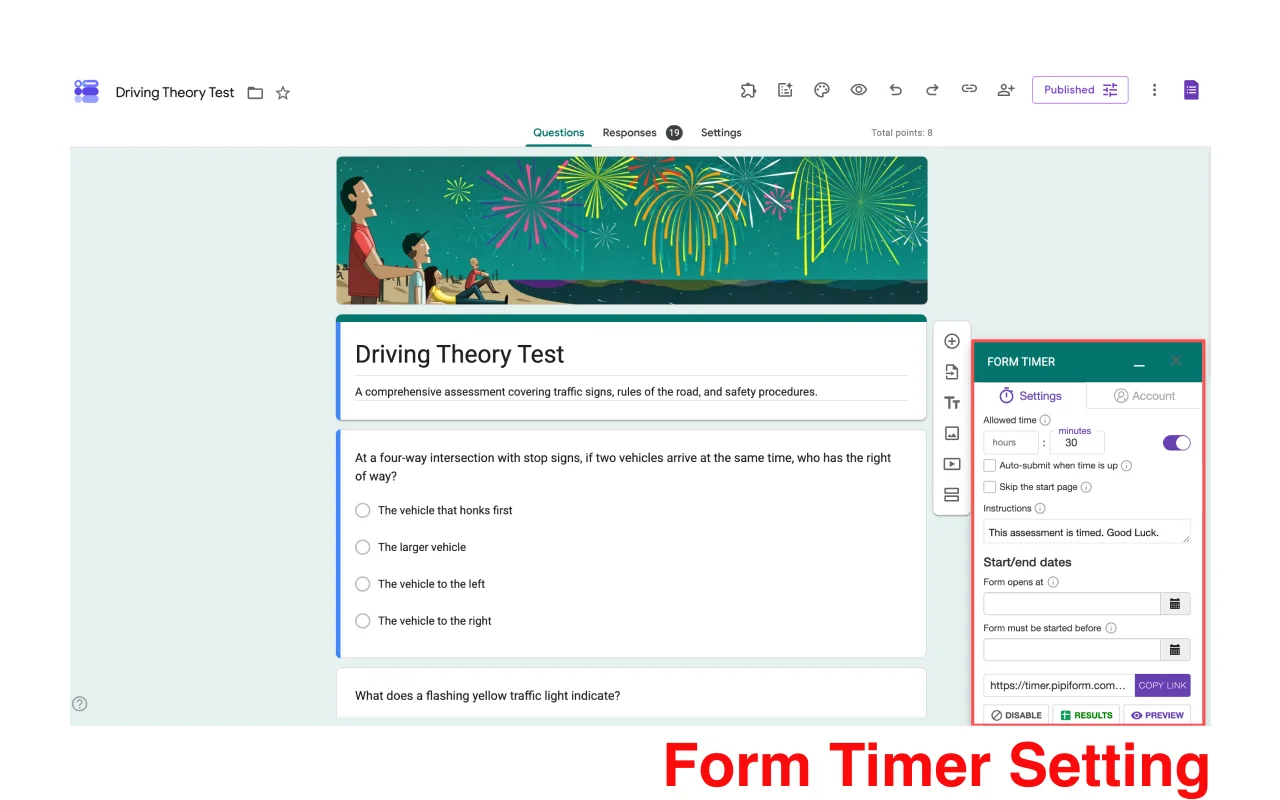
This is the user interface for the Form Timer
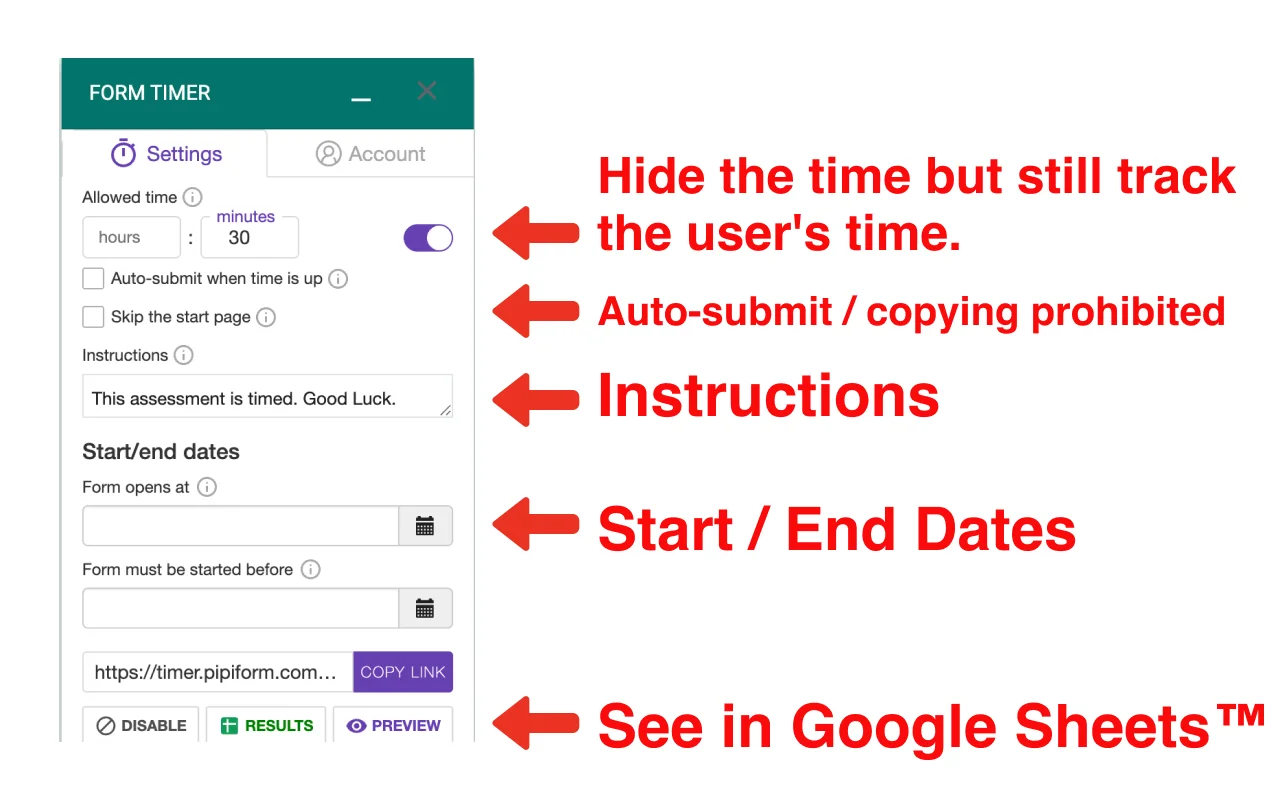
Set the allowed time, turn on auto-submit when time is up, and add custom instructions
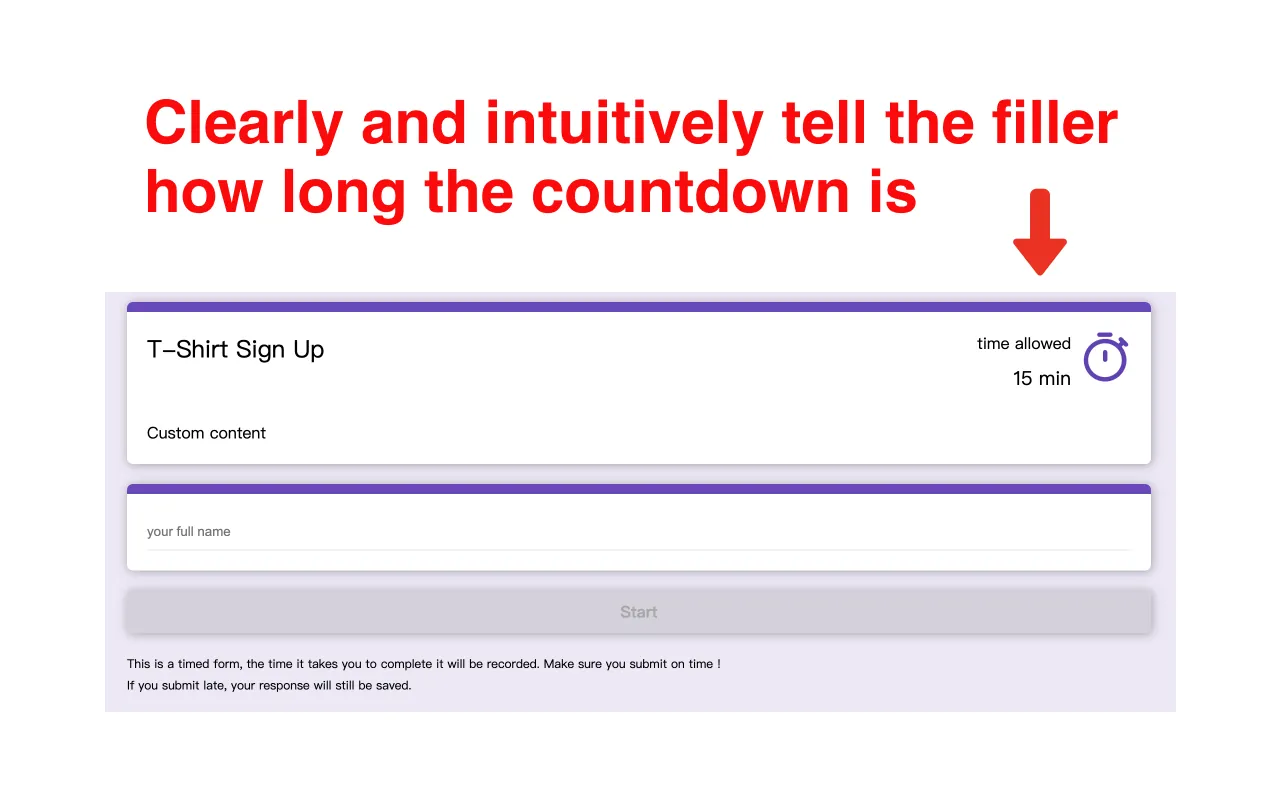
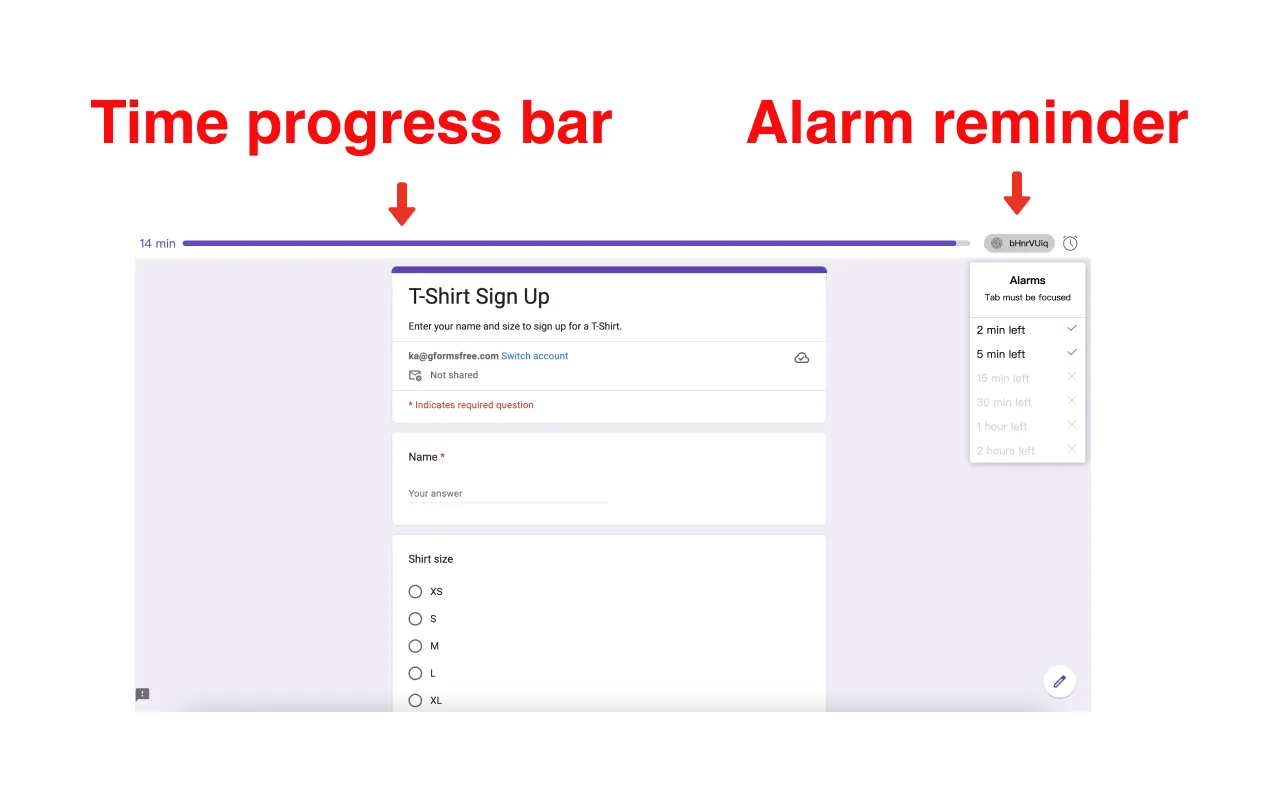
Preview the interface
Intuitive and clear — when time runs out, answers are submitted automatically, and the page blocks copying to protect your questions
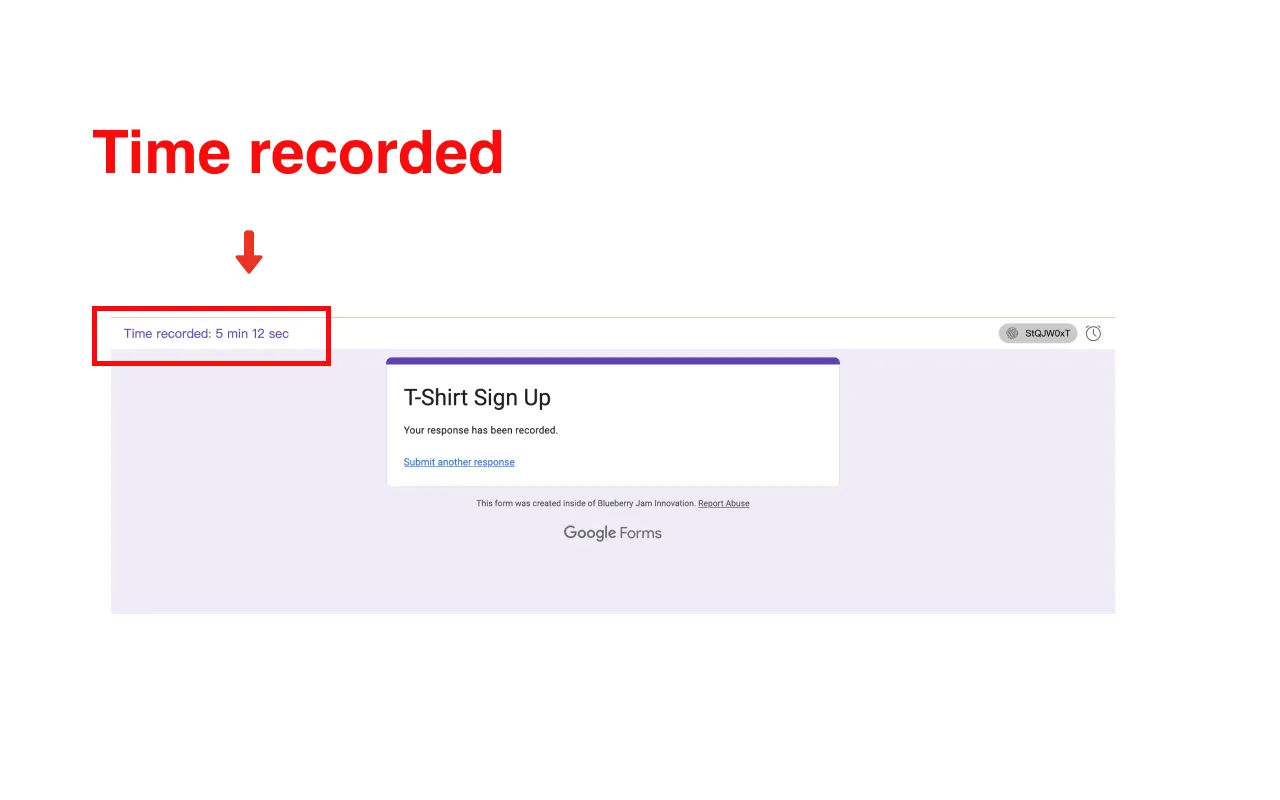
Time recorded
Form fillers can see how long they took to fill out the form
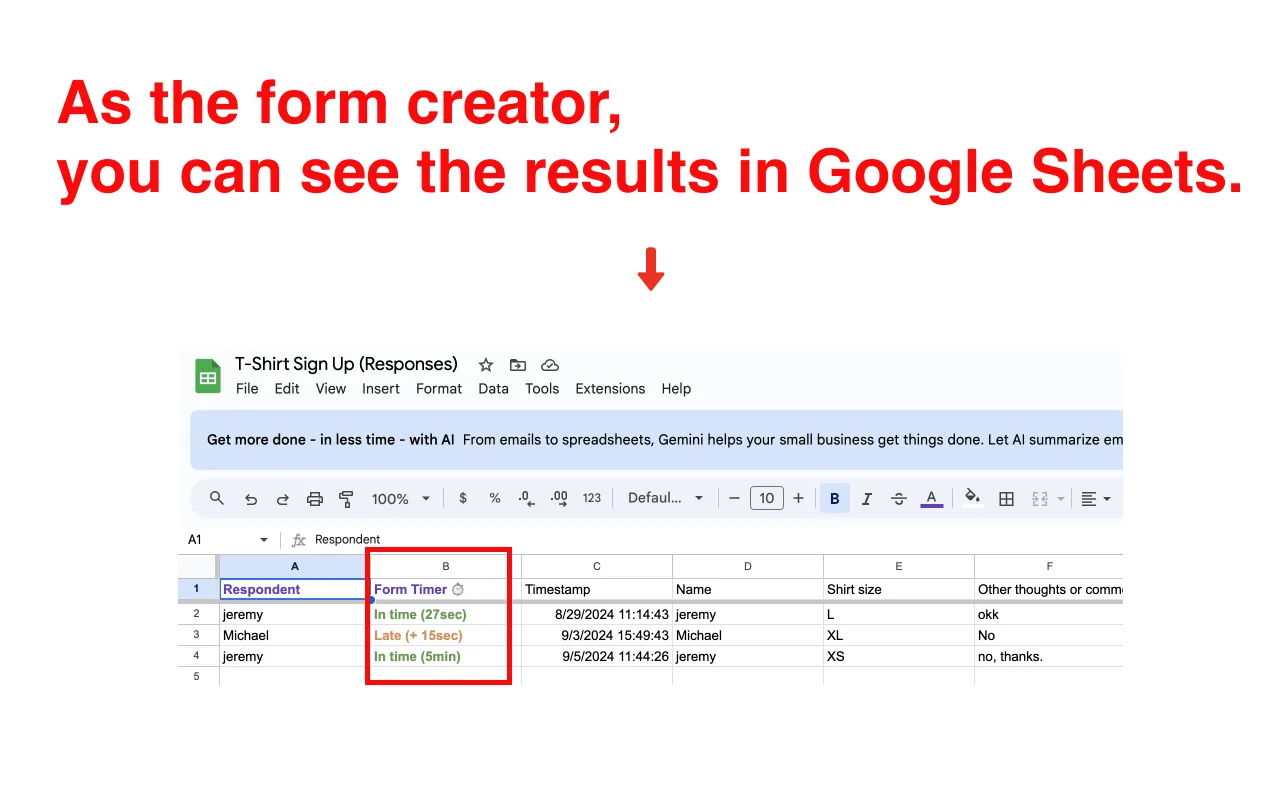
Form creators can view data in Google Sheets™️
Automatic and efficient