Timer for Google Forms™
Give every respondent their own countdown
Set an individual time limit for Google Forms quizzes and assessments. Each respondent sees a countdown; automatic submission is optional and must be enabled and tested.
Install Timer for Google FormsNeed everyone to stop at one fixed deadline? Compare with Google Forms’ built-in closing date.
A closing date or a countdown for each person?
Google Forms’ native closing date is useful when registration or a survey must end at one fixed time. Choose Form Timer when each person needs their own time allowance for a quiz or assessment.
| Your goal | Google Forms closing date | Form Timer |
|---|---|---|
| Close registration Friday at 5 PM | One shared cutoff. The native setting is enough for this task. | An individual countdown is usually unnecessary for this task. |
| Give each person 30 minutes | A shared deadline does not give later starters the same time allowance. | The countdown starts with each person’s timed attempt. |
| Show time remaining during a quiz | The closing-date setting controls form availability. | Respondents see their remaining time on the timed page. |
| Submit when a person’s time runs out | Closing the form is not an individual auto-submit workflow. | Enable the auto-submit option and test required questions before sharing. |
Example: With a 30-minute allowance, an attempt starting at 2:00 PM reaches its limit at 2:30 PM; one starting at 2:10 PM reaches its limit at 2:40 PM. Keep the underlying form available for the intended attempts, and test any separate closing rules.
For a shared deadline, follow the native closing-date guide. For an individual countdown, set up Form Timer and share its timed link. Google documents the native setting in its response-management help.
How to add a timer to Google Forms
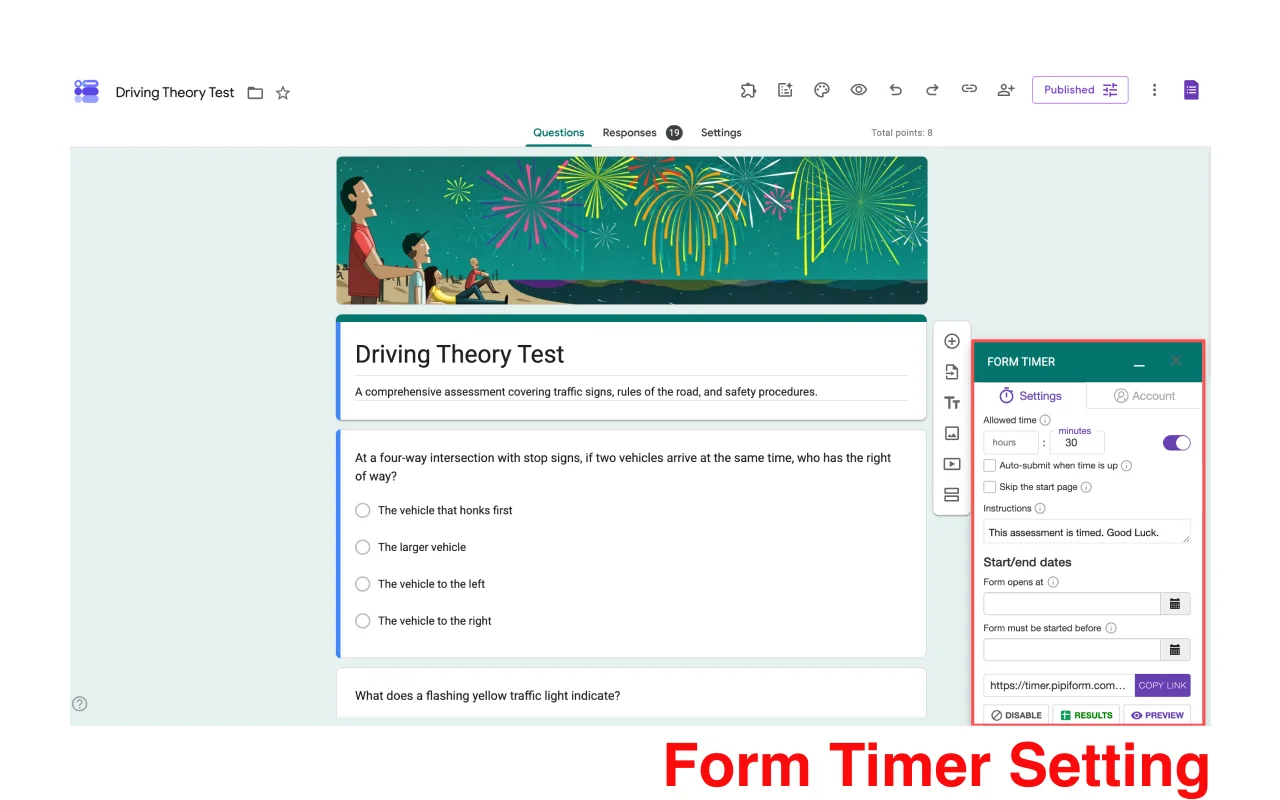
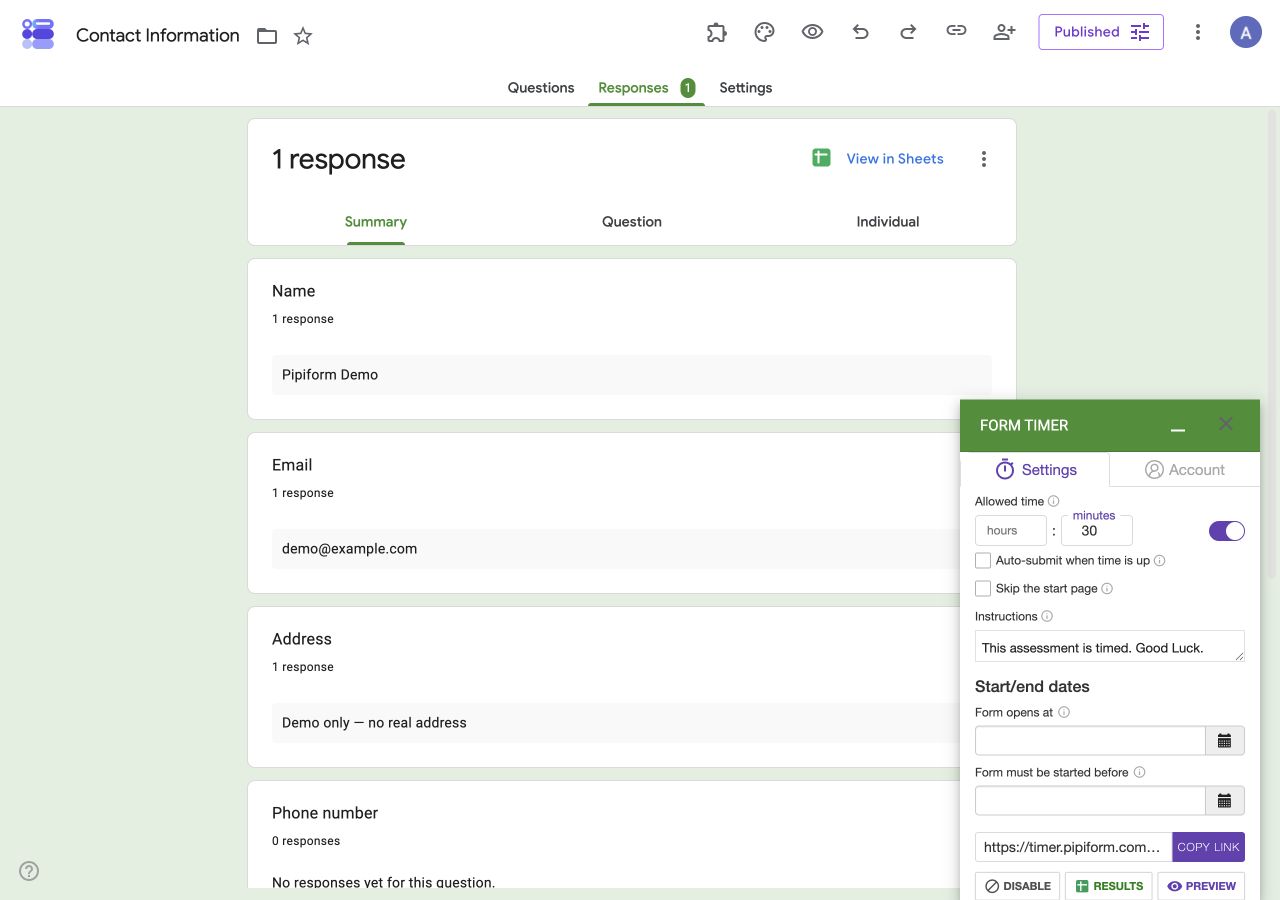
Use the Form Timer Google Workspace add-on to give each respondent a countdown. Configure the add-on in a desktop browser, then share its timed link.
- Install and open the add-on. Open your form in the editor, select the add-ons icon, then open Form Timer.
- Set the allowed time. Enter the hours and minutes for each respondent. Add instructions explaining the time limit.
- Choose what happens at the end. Enable Auto-submit when time is up if you want automatic submission. Do not assume it is enabled by default.
- Preview and test. Complete a test response through the timed page, including required questions. Confirm that the answer appears in Google Forms.
- Copy and share the timed link. Use COPY LINK in the add-on. The ordinary Google Forms responder link does not take respondents through the pipiform timer.
Follow the illustrated auto-submit tutorial · See Free and Pro pricing
Easy Timer Configuration
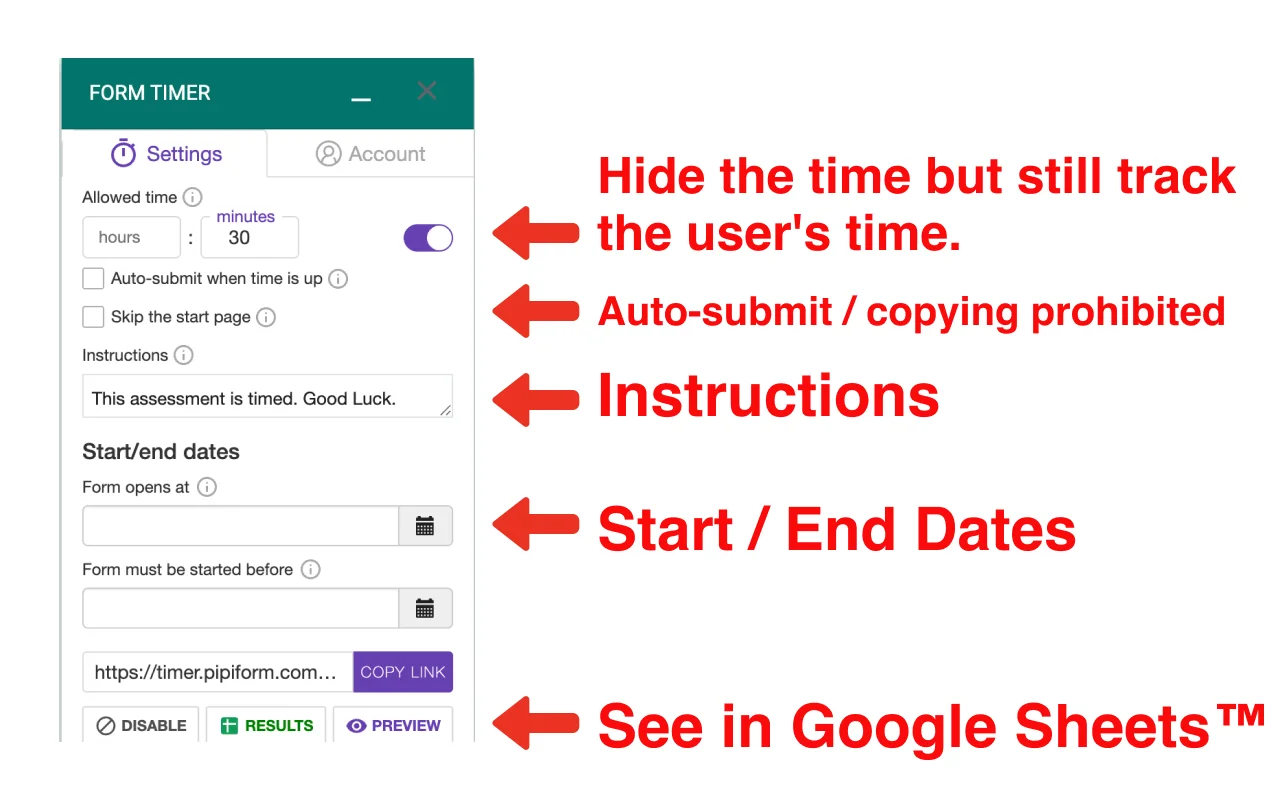
Set up your timer with just a few clicks. Configure time limits, enable auto-submit when time is up, customize the instructions respondents see, and set start/end dates through our intuitive interface.
Intuitive User Interface
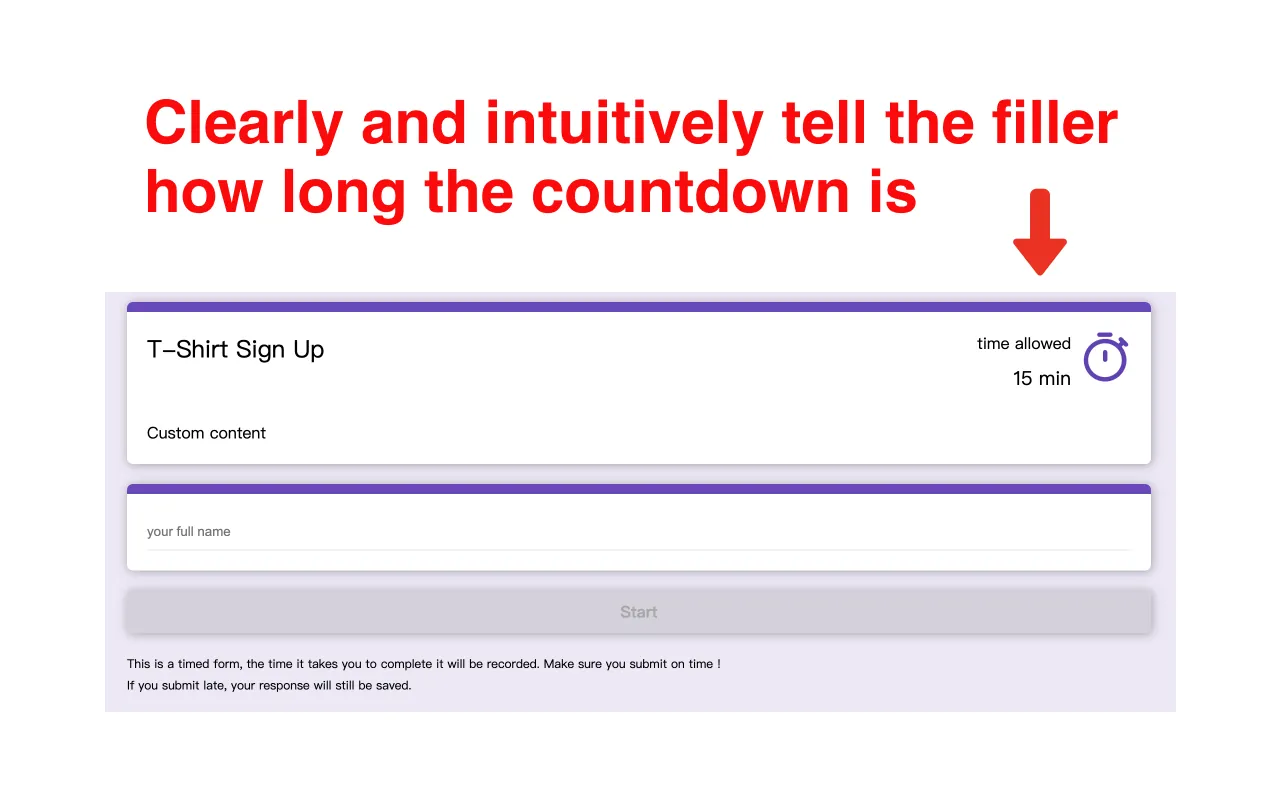
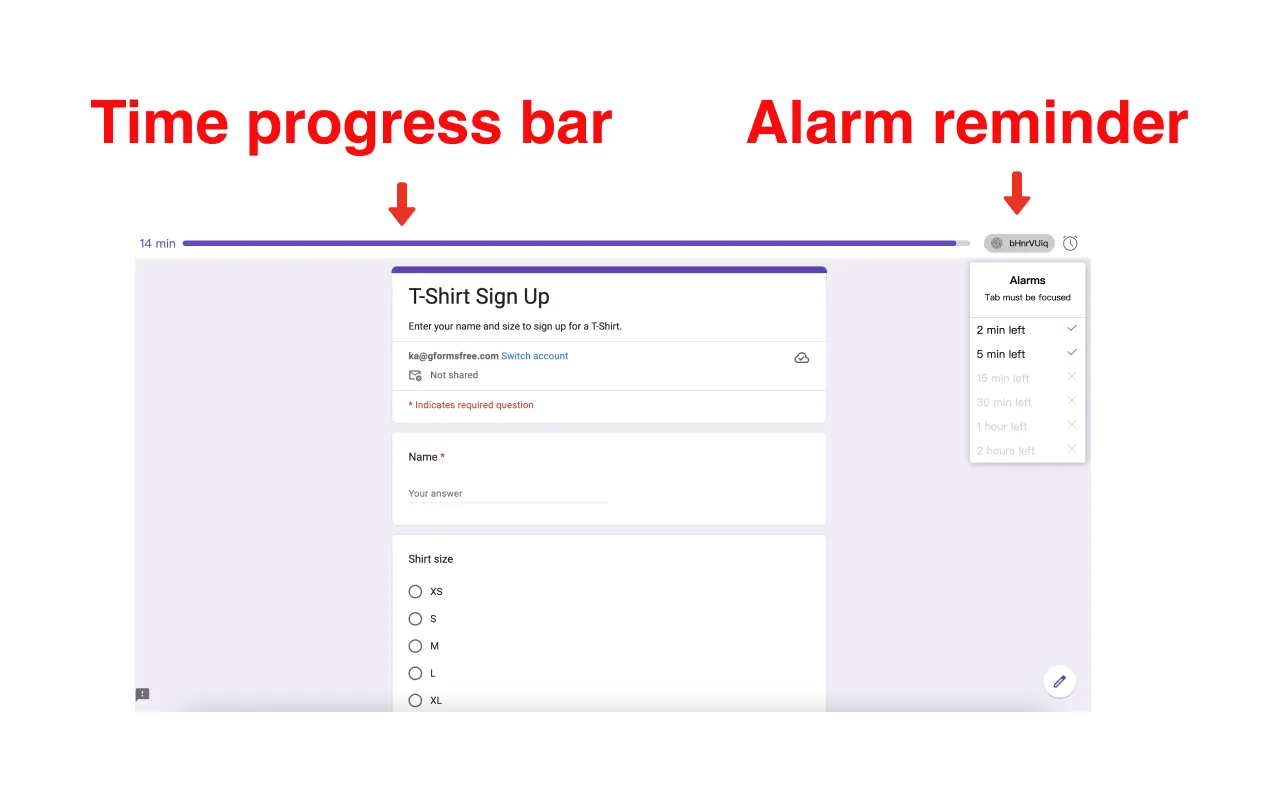
Respondents see a clear, intuitive countdown display that keeps them informed of remaining time. When time is up, the form is submitted automatically when auto-submit is enabled — and the page prevents its content from being copied, protecting your quiz and exam questions.
Completion Time Tracking
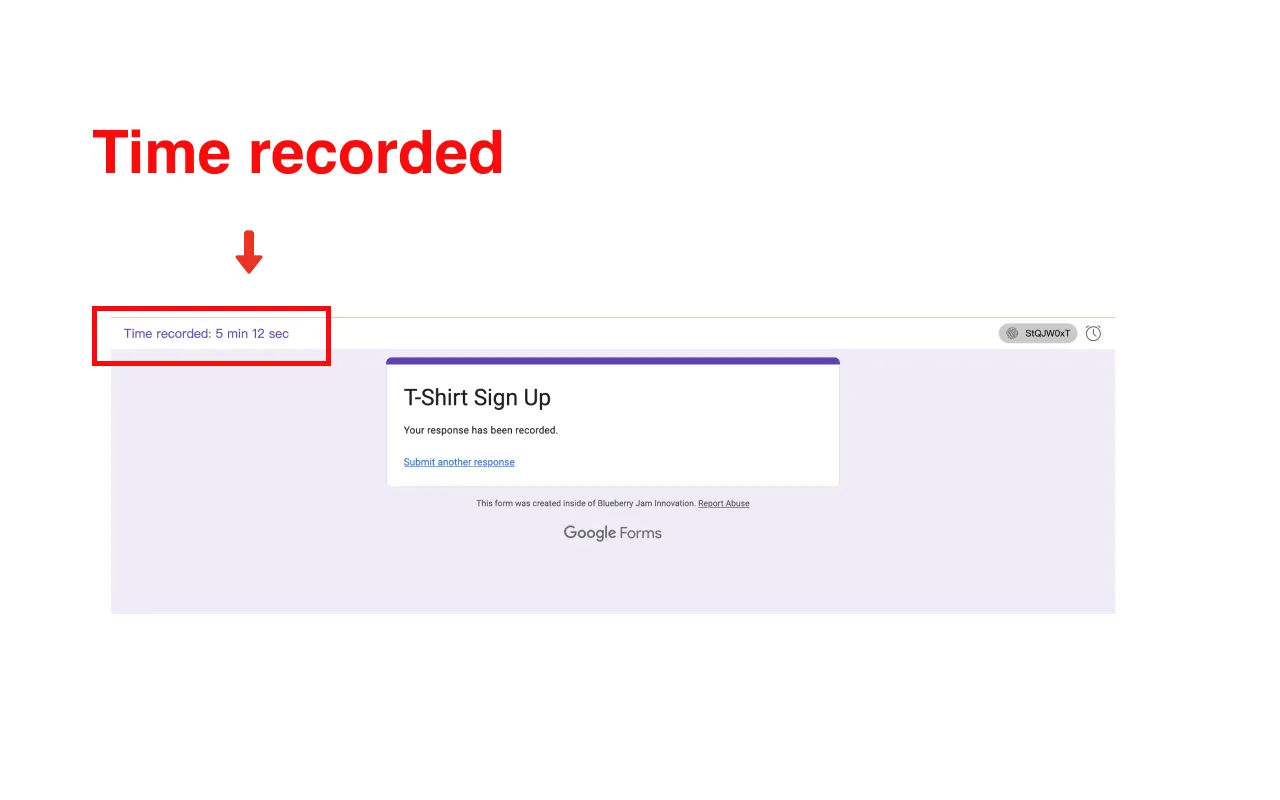
Track how long each respondent takes to complete your form. This valuable data helps you optimize form length and understand user engagement patterns.
Google Sheets Integration
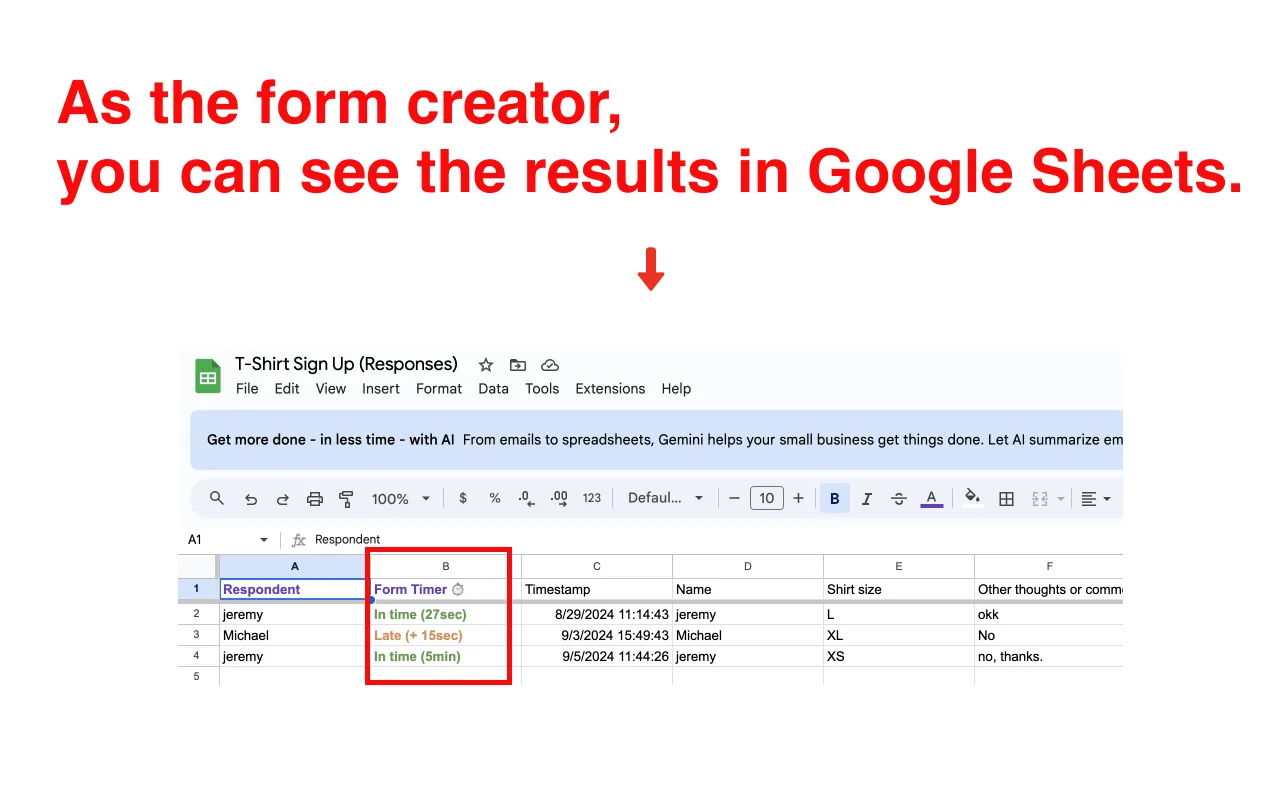
All timing data automatically appears in your Google Sheets for easy analysis. View completion times, identify patterns, and make data-driven decisions about your forms.
Pricing
- Platform
- Google Workspace · Web
- Provider
- pipiform · BurningFlower INC
- Pricing (USD)
- Free on 1 form
- Pro: $80.00 / year (≈ $6.67 / month, billed yearly)
- Pro: $10.00 / month
Google Forms timer questions
Is there a free timer for Google Forms?
Form Timer is free on 1 form. Pro costs $10 per month or $80 billed yearly (about $6.67 per month). Check your account allowance and the current plan details before using it on additional forms. The iPhone app is a separate product and subscription.
Does the form submit automatically when time runs out?
Auto-submit is an option in the add-on. Enable it and test your form's required questions and validation rules before a real assessment. Keep the timed page open and connected; do not rely on it to recover answers after a closed tab or connection failure.
Is a time limit the same as a closing date?
No. A 30-minute timer measures each respondent's attempt. A closing date is one shared cutoff for the whole form. For registrations or surveys with a fixed deadline, follow the Google Forms closing-date guide.
Can respondents use a phone?
Test the timed link in the mobile browser your audience uses. Configure the Workspace add-on from the desktop editor; the iPhone timer guide explains the separate mobile workflow.